Everything you need to use AdmitNote day to day — sign-in, creating notes,
cross-device handoff, pricing, privacy, troubleshooting. The same guide
applies whether you're using the web app or the iOS app (they're the
same interface).
Your AdmitNote account is your email — no password. We email you a one-time
sign-in link that expires in 1 hour.
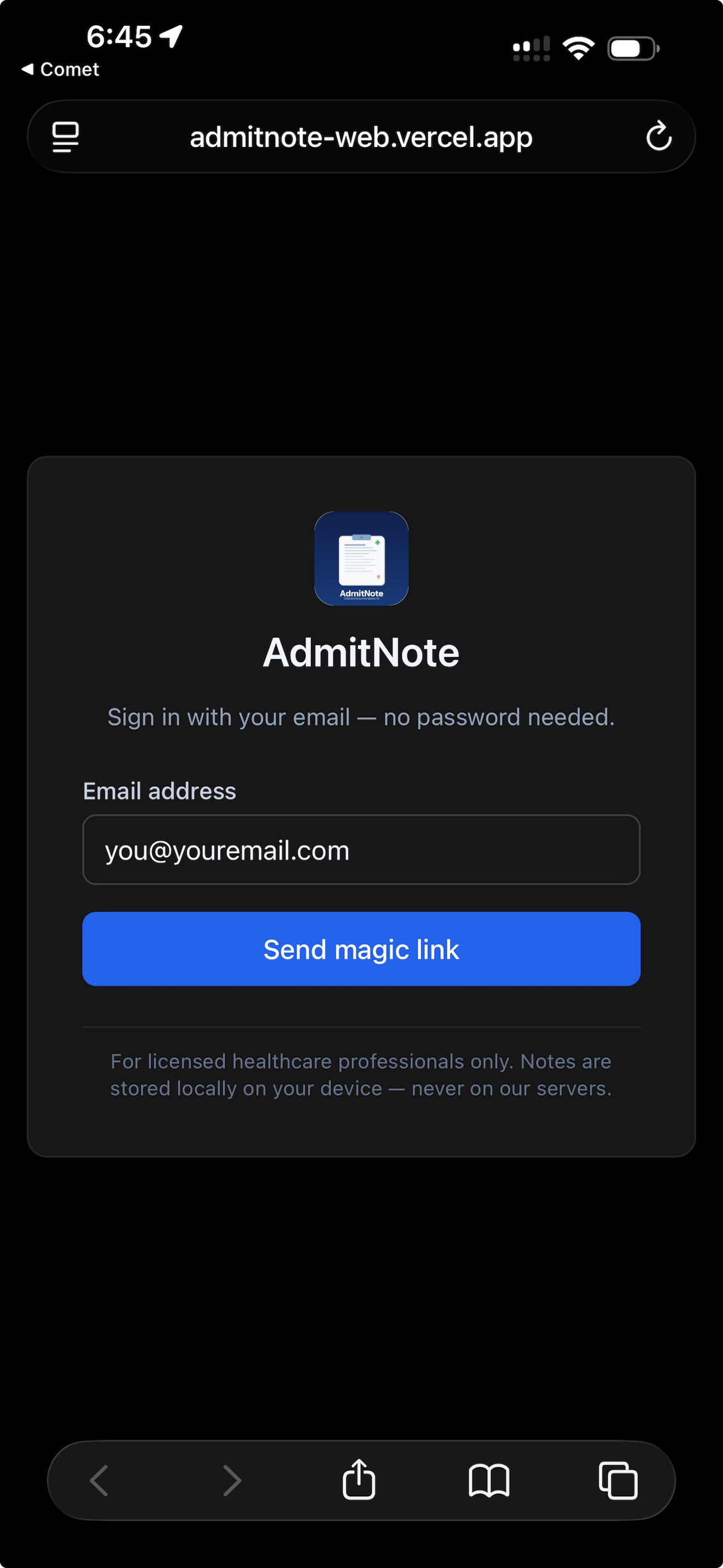
Enter your email
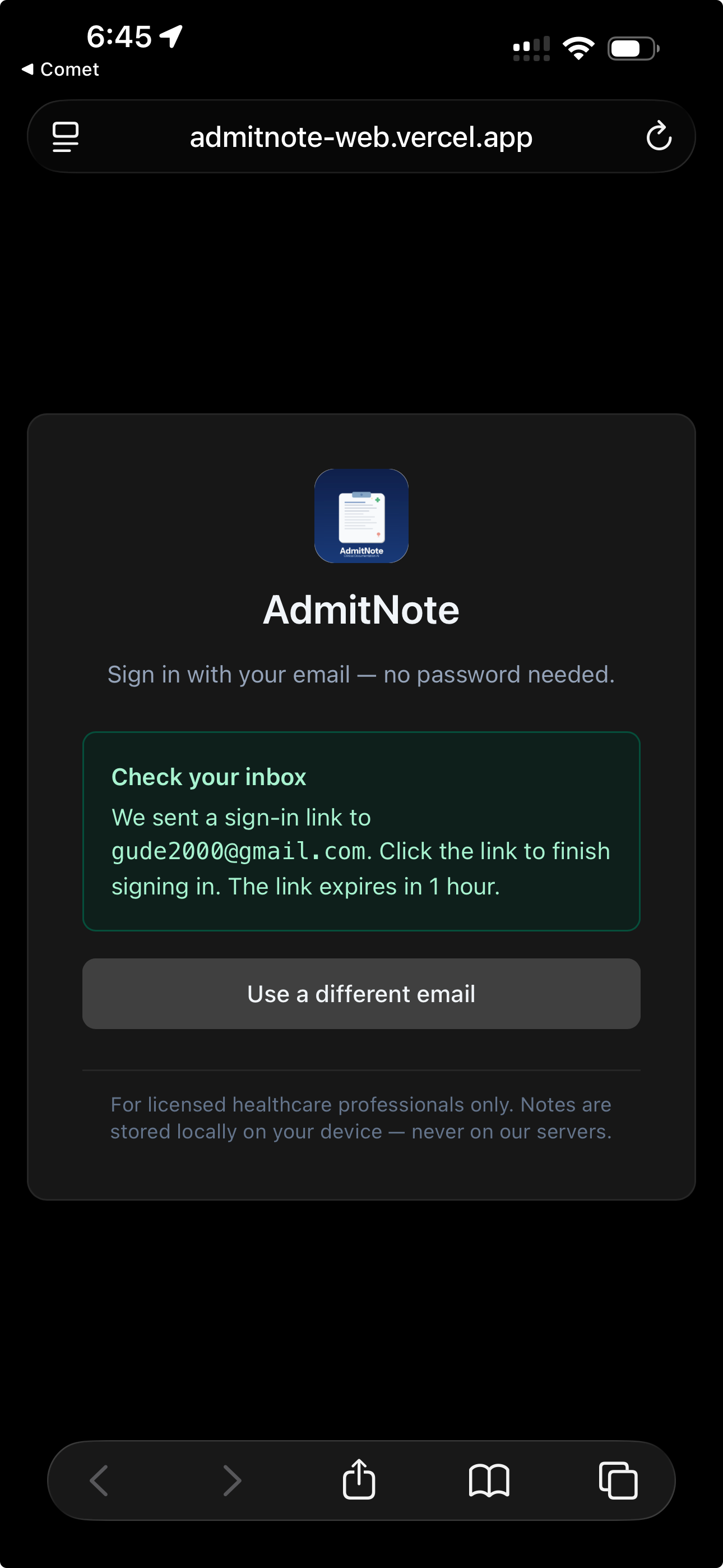
Check your email
First-time sign-in
1
Open admitnote-web.vercel.app (or app.admitnote.com once the custom subdomain is set up).
2
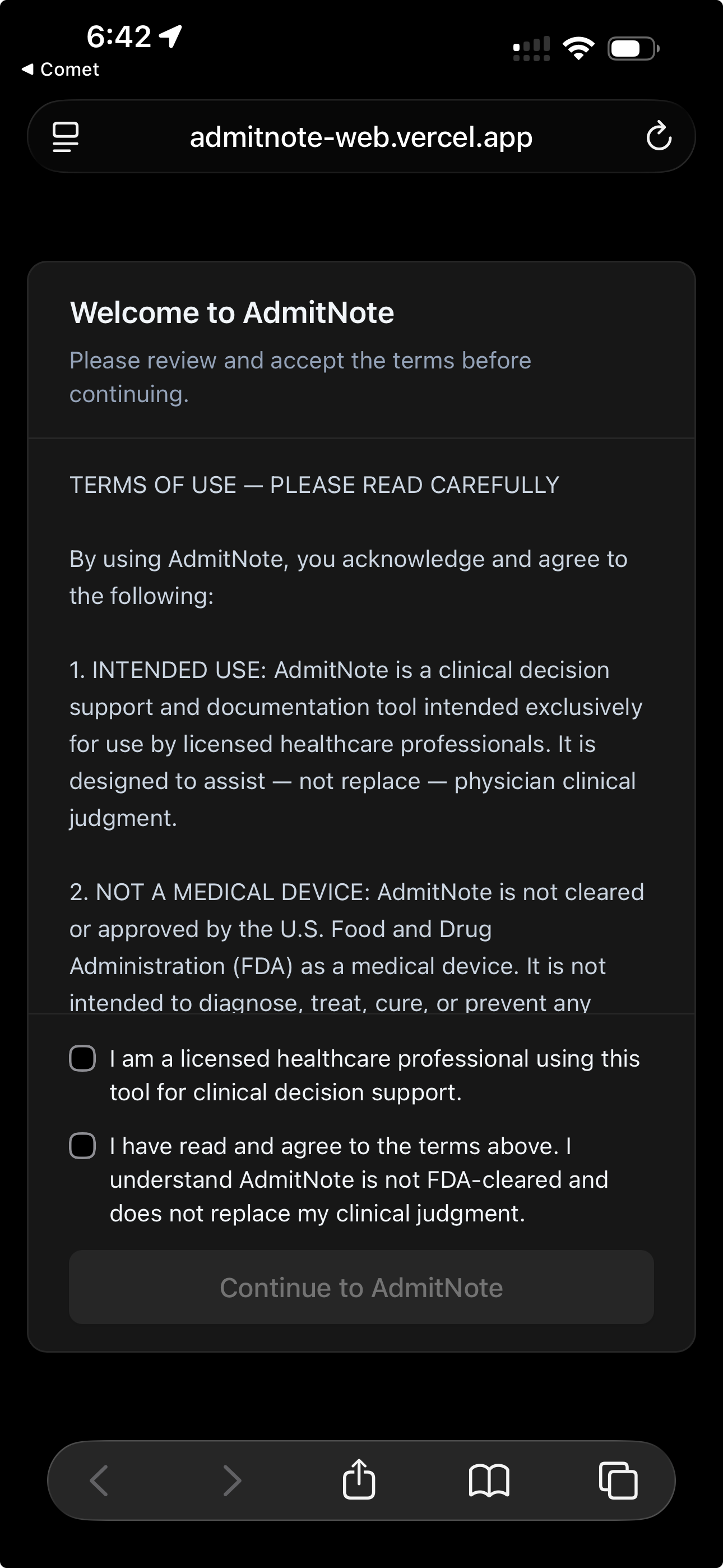
Accept the terms — check both boxes (licensed healthcare professional + read terms), tap Continue.
3
Enter your email and tap Send magic link.
4
Check that email inbox and click the link inside.
5
You're signed in. The session persists indefinitely until you sign out.
⚠ Important gotcha
Request the magic link on the device you want to sign in on, and click the link
from that same device's email client. If you request on your phone but click on your desktop,
the desktop gets signed in, not the phone.
Using both phone and desktop
Sign in on each device separately — with the same email. Each device gets its own session;
both share the same account, which is what enables the cross-device handoff feature (Section 3).
Add to Home Screen on iPhone
For one-tap launch from your home screen:
Open AdmitNote in Safari on iPhone
Tap the Share button (square with up-arrow)
Scroll down, tap Add to Home Screen
Tap Add — icon appears on your home screen, launches full-screen like a native app
// 2. Creating a note
From encounter to structured H&P
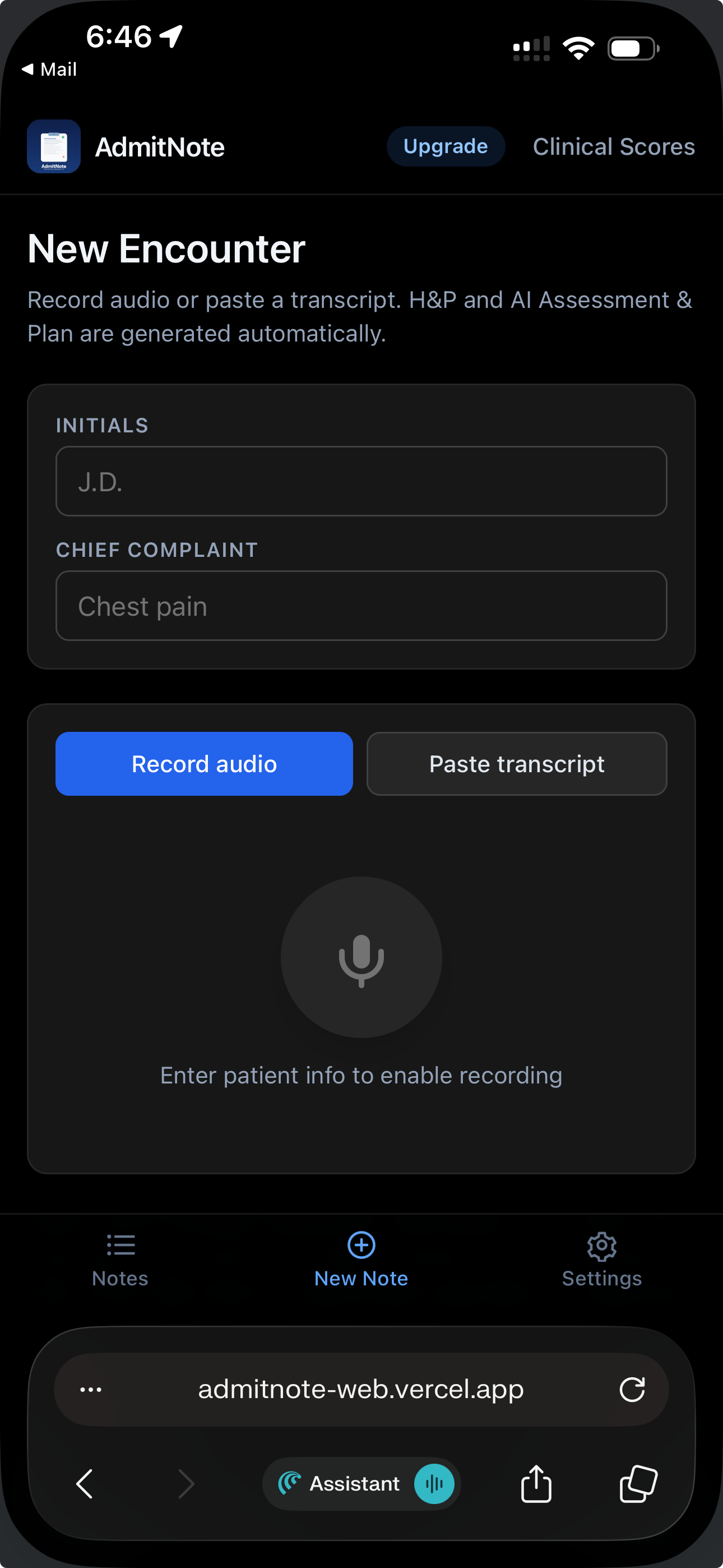
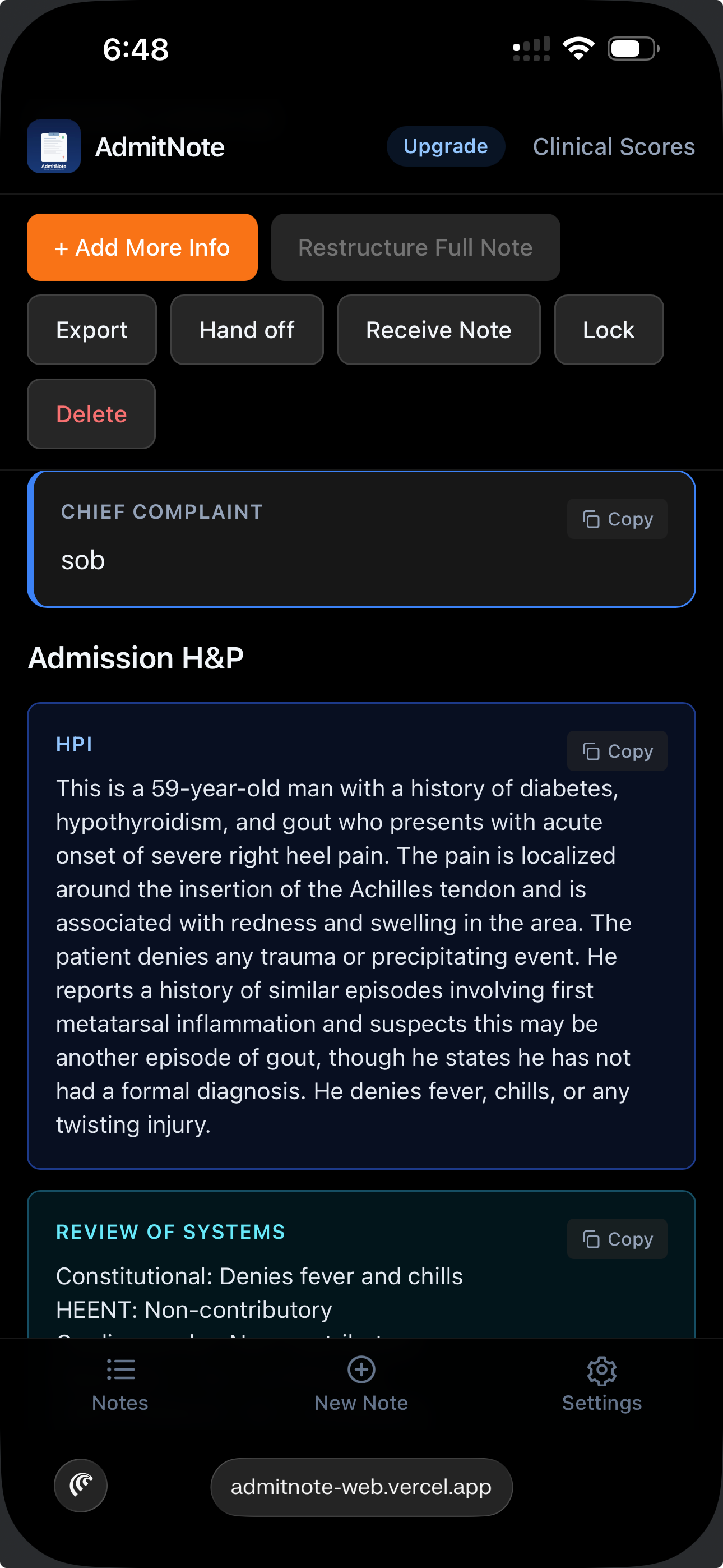
Every note starts with two fields: patient initials and chief complaint.
Then you either record the encounter or paste an existing transcript.
Initials + CC
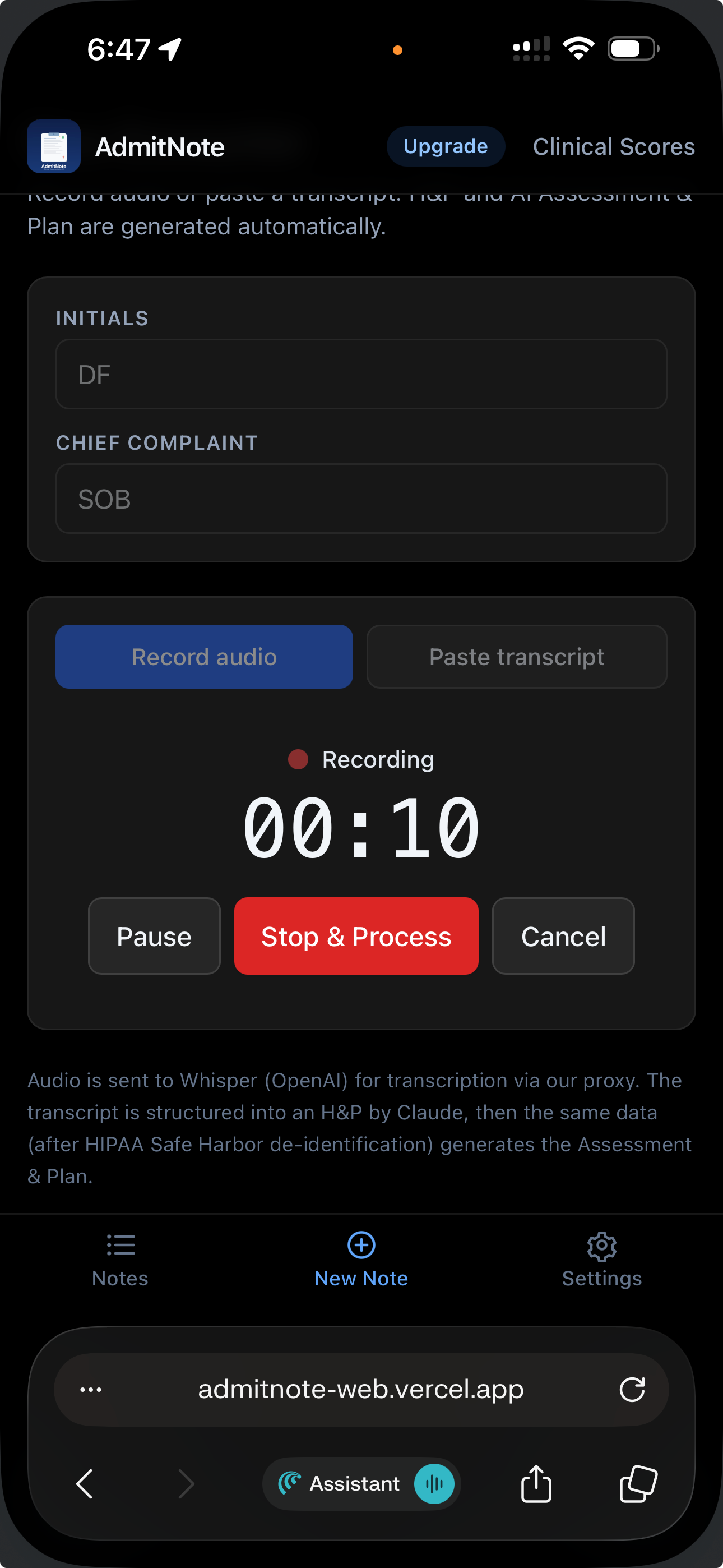
Recording
Structured H&P
Initials + chief complaint
Initials: 2-4 letters (JG, RC, AB). Used as the note's title. If you typo the initials, click the title on the note detail page to edit inline — no need to delete.
Chief complaint: 1-5 words (chest pain, SOB, fall). Keep it short — expansion comes from the transcript.
Record mode
1
Tap + New Note, fill initials + chief complaint, pick Record.
2
Grant microphone permission the first time. Dictate HPI, ROS, PMH, meds, exam, vitals, labs, imaging.
3
Tap Stop when done.
4
AdmitNote transcribes (Whisper) and structures into a full H&P (Claude). ~10-30 seconds depending on length.
Paste mode
Same start screen — pick Paste instead. Dump in a transcript from Dragon, a dictation app,
a typed note, or an EHR snippet. Tap Structure.
Add More Info (updates during the stay)
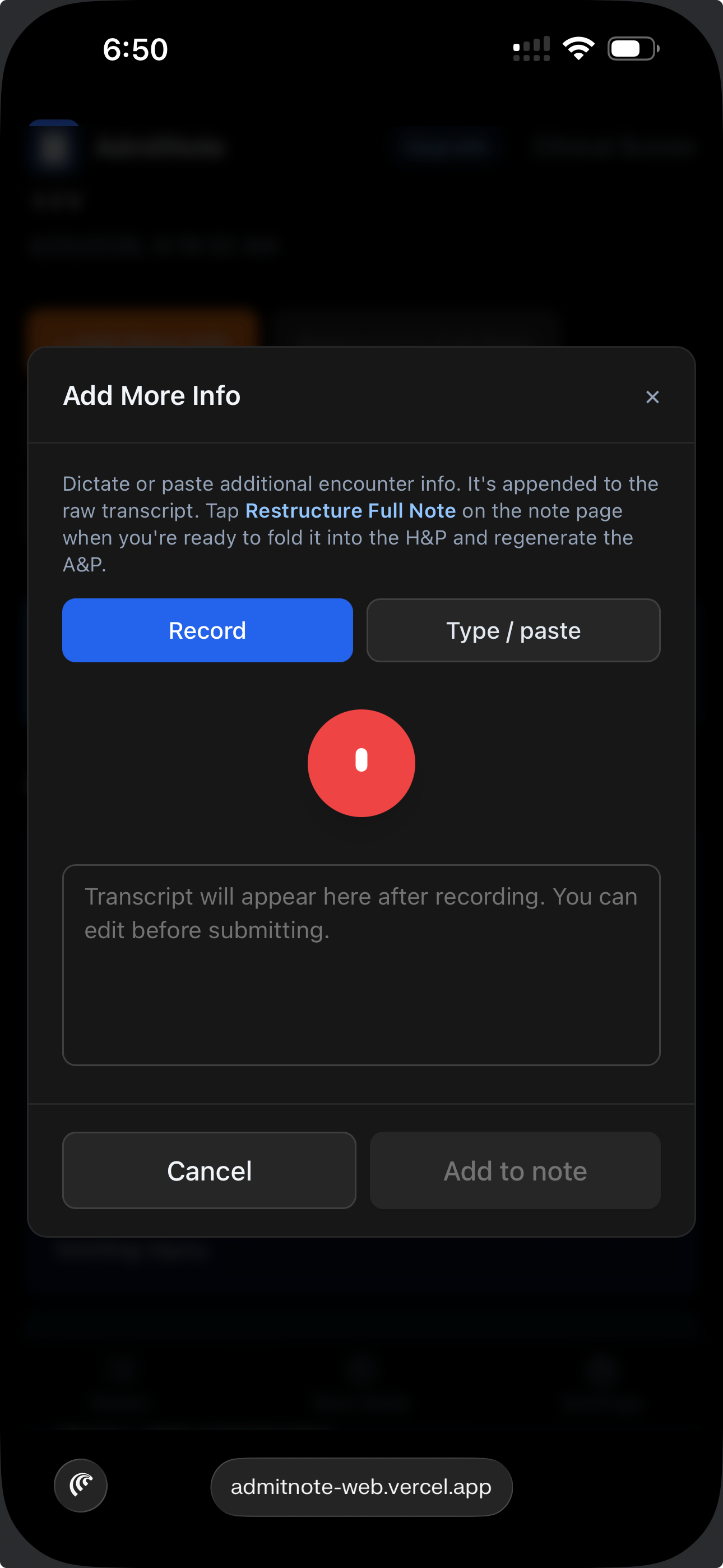
After the structured H&P exists, to capture new information (overnight events, updated labs, additional history):
1
On the note detail page, tap + Add More Info.
2
Record or paste the new content.
3
A banner prompts Restructure Full Note. Tap it — Claude merges the new info into the existing H&P intelligently.
Add more info
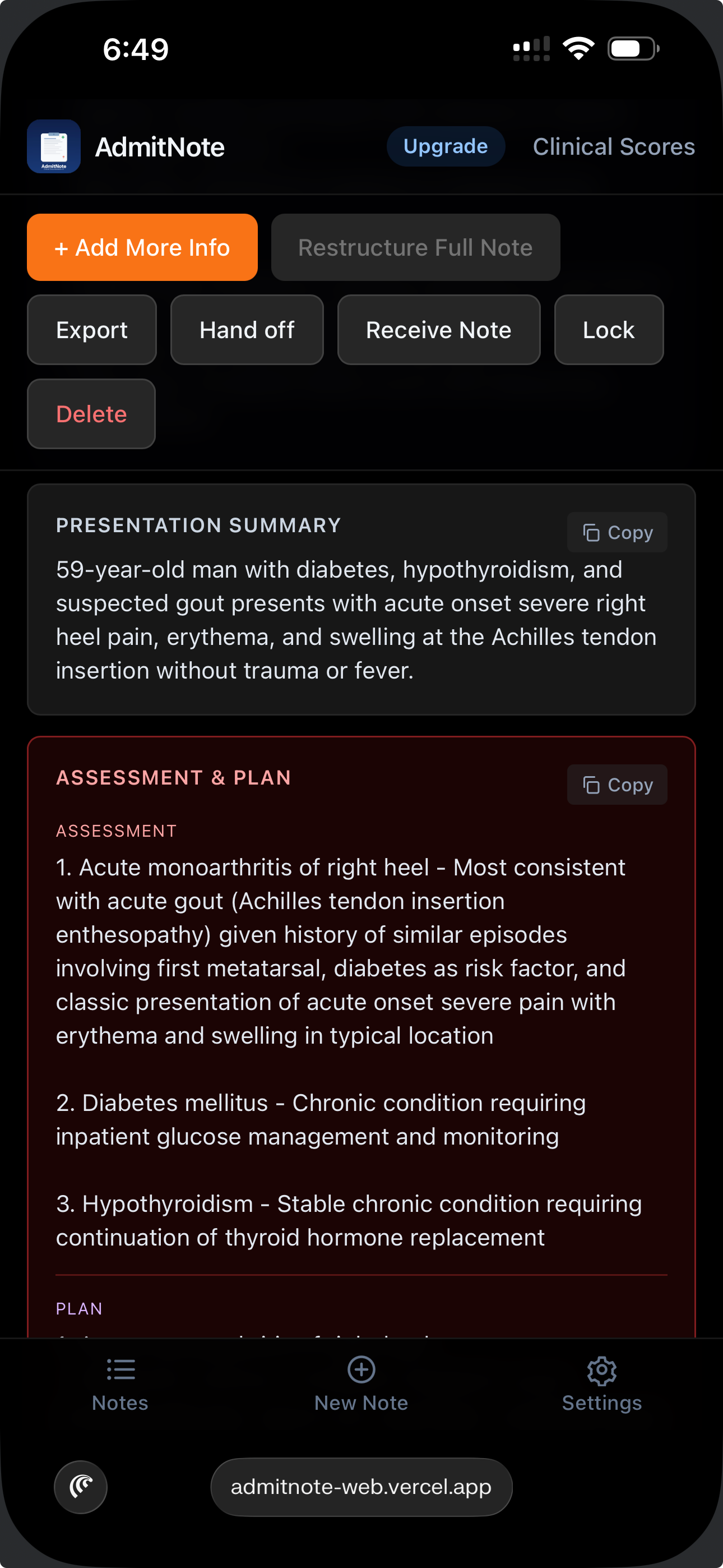
Generate Assessment & Plan
Once the H&P is structured, the Generate A&P button produces:
Problem representation (1-2 sentence clinical synthesis)
Problem-based assessment
Ranked differential diagnosis with supporting + refuting evidence
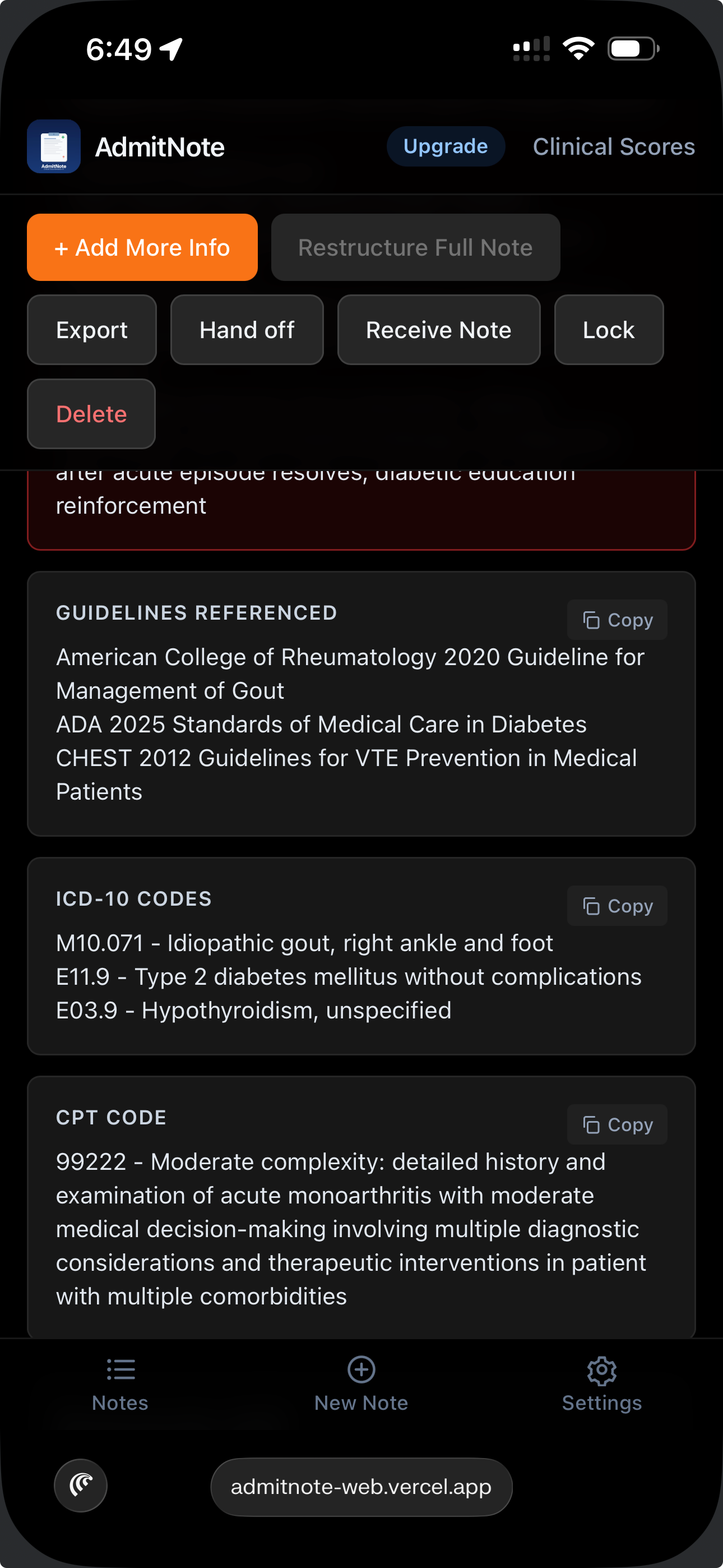
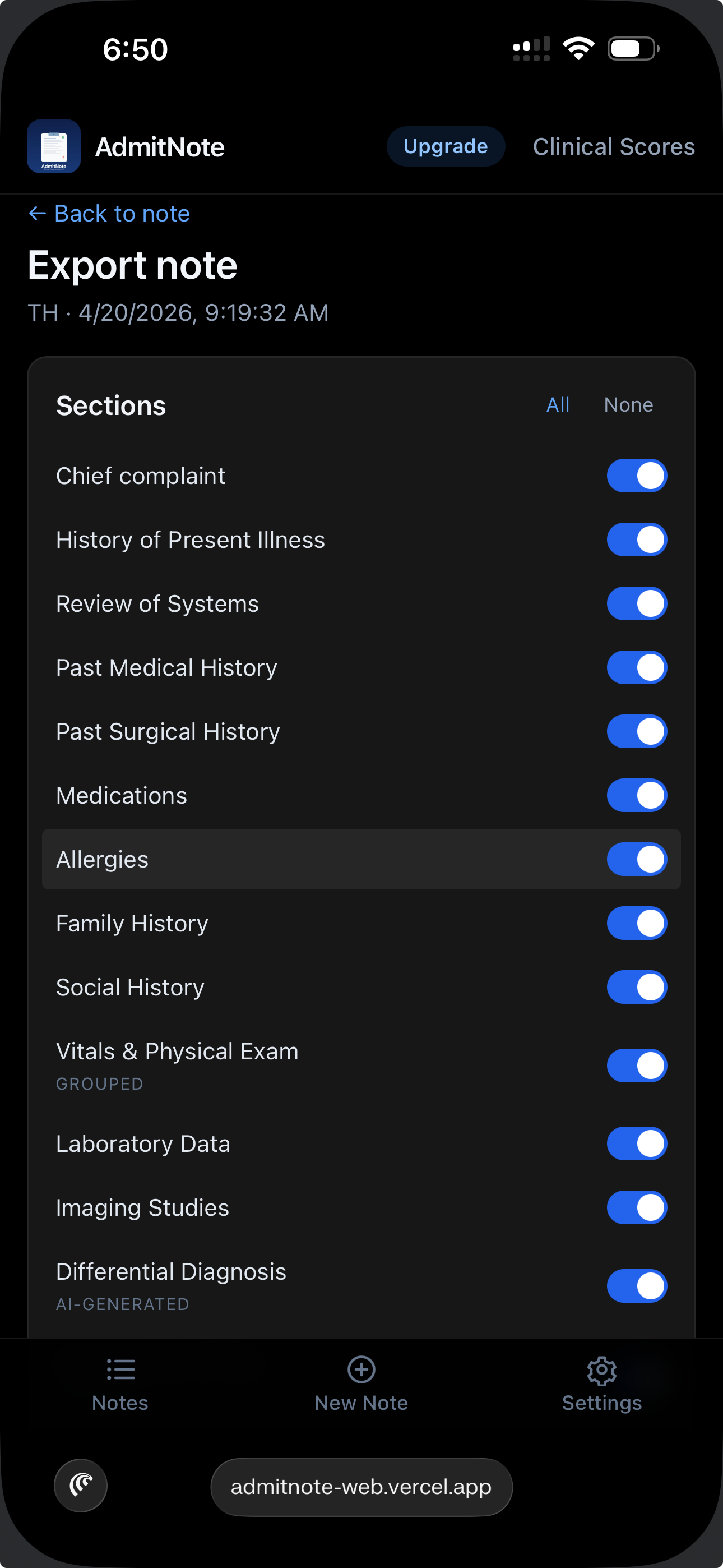
Every section of the structured note — HPI, ROS, PMH, Medications, Allergies, Physical Exam,
Labs, Imaging, Assessment, Plan, Differential, ICD-10/CPT codes — has its own Copy
button in its header. Tap it and just that section lands in your clipboard, ready to paste
into the matching field in your EHR. No need to copy the whole note and hunt for the piece you want.
Tap the Copy icon at the top-right of any section header
A brief checkmark confirms the copy worked
Switch to your EHR tab or app, click into the target field, paste (⌘+V / Ctrl+V)
Works on desktop, iPhone, and iPad — uses the native clipboard API
💡 EHR workflow tip
Most EHRs (Epic, Cerner, Meditech, Oracle Health) have separate free-text fields for HPI,
ROS, Physical Exam, Assessment, and Plan. Copying section-by-section preserves that structure
instead of dumping one monolithic paste into a single field. Faster to chart, easier to edit,
and nurses + consultants can parse the note the way the EHR intended.
ℹ Clinical decision support only
All AI output is clinical decision support, not medical advice. Review and modify before using
in patient care or the medical record. The treating physician bears full responsibility for all decisions.
// 3. Cross-device handoff
Move a note between your own devices
Switching between an ED workstation and a bedside phone? AdmitNote has two ways to move a note between
your signed-in devices. Both are end-to-end encrypted — your notes never touch our servers in plaintext.
QR (camera available)
6-digit code (no camera)
Receive on 2nd device
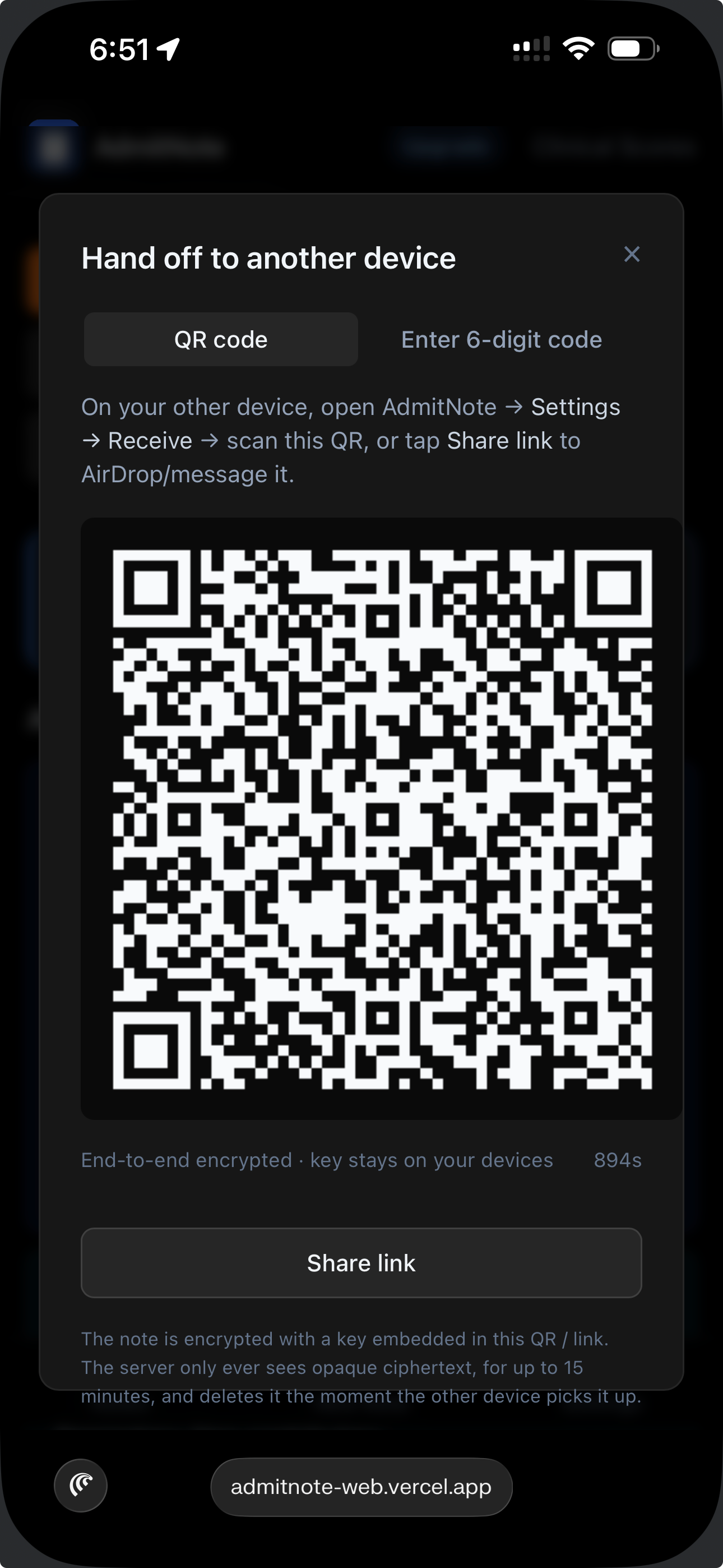
📱 QR code
Best when both devices can see each other physically. Phone has a rear camera. Fastest path.
Sender: open note → Hand off → QR appears
Receiver: Settings → Receive → Scan a QR code → camera opens → aim at sender screen
Note appears on receiver in 2-3 seconds
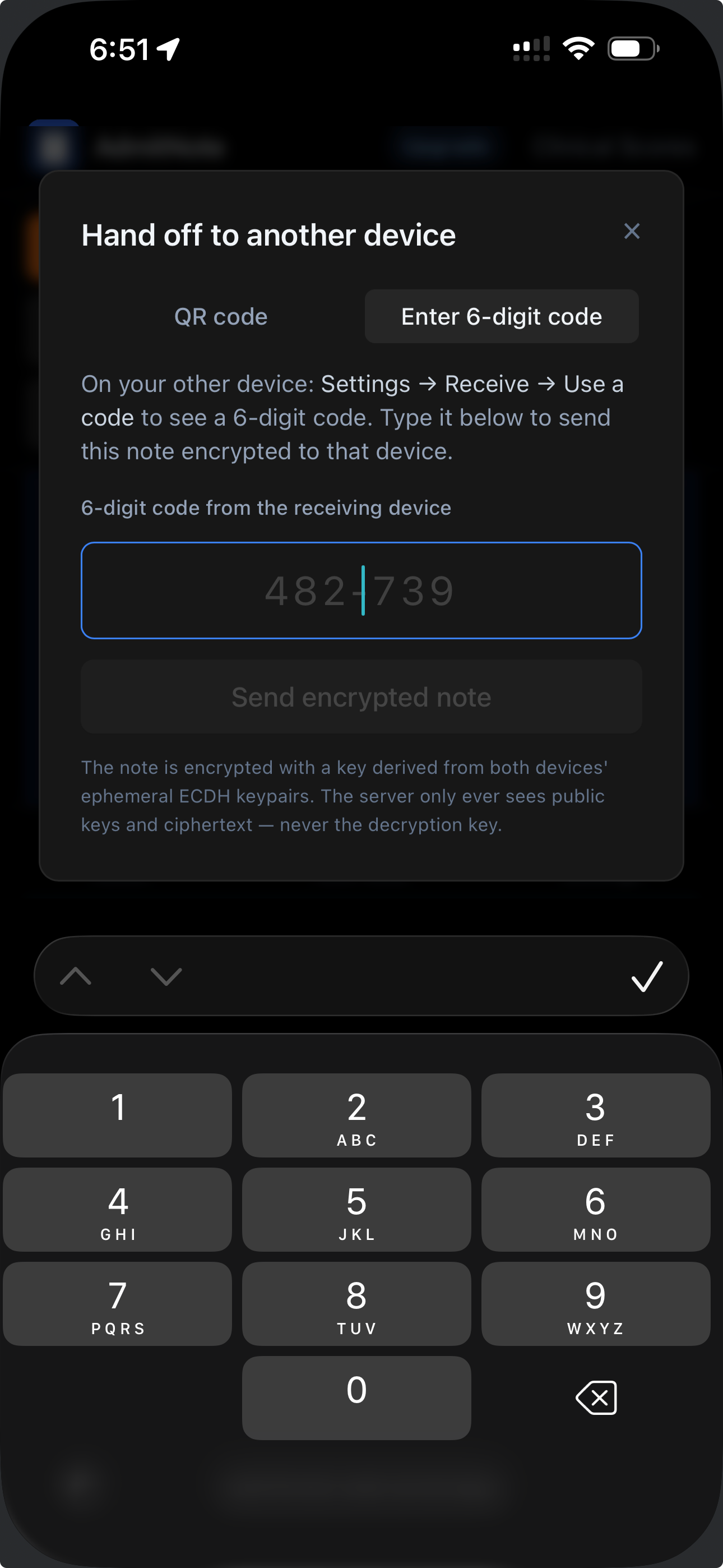
🔢 6-digit code
Best when one device lacks a camera — hospital PCs, locked-down workstations.
Receiver (PC): Settings → Receive → Use a 6-digit code → code like 482-739 appears
Sender (phone): open note → Hand off → Enter 6-digit code tab → type code
Note appears on PC within seconds
Both directions are supported — PC→phone, phone→PC, same flow.
🔒 Privacy posture
The note is encrypted with AES-256-GCM on the sending device before anything leaves. In QR mode,
the key rides inside the QR's hash fragment (browsers never send hash fragments to servers). In 6-digit mode,
both devices derive a shared key via ephemeral ECDH — the server only ever sees public keys and
opaque ciphertext. Handoff ciphertext auto-expires in 15 minutes.
// 4. Notes list & auto-delete
Where your notes live
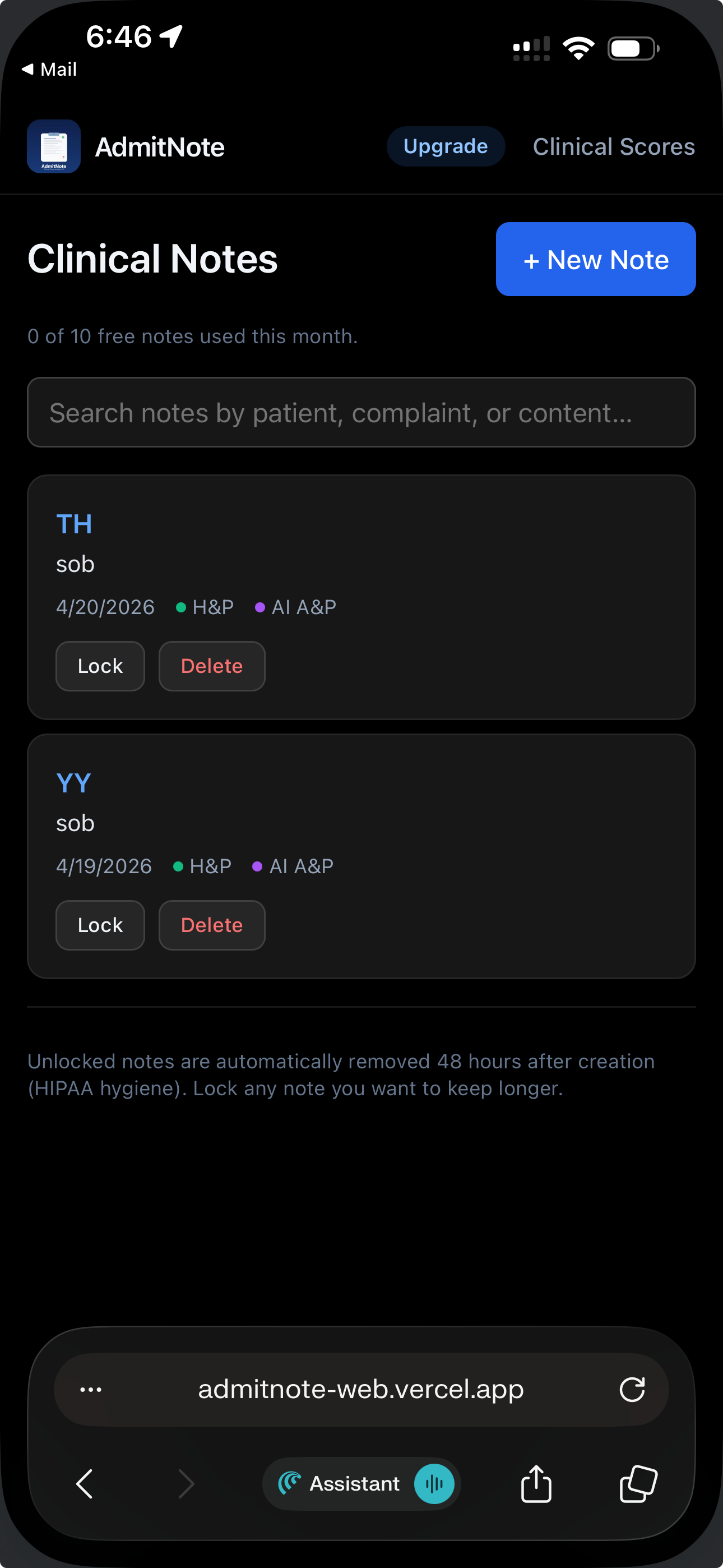
All saved notes appear on the main Notes tab, sorted by most recent activity first.
Notes list — sorted newest first
48-hour HIPAA auto-delete
Unlocked notes older than 48 hours are automatically removed. This is a hygiene feature — patient data
shouldn't accumulate on a personal device indefinitely. The cleanup runs every time you open the app.
Locking a note
Tap Lock on any note you want to keep longer. Locked notes are exempt from the 48-hour
cleanup and stay until you explicitly delete or unlock them.
Search + manual cleanup
Search the list by patient initials, chief complaint, or note content
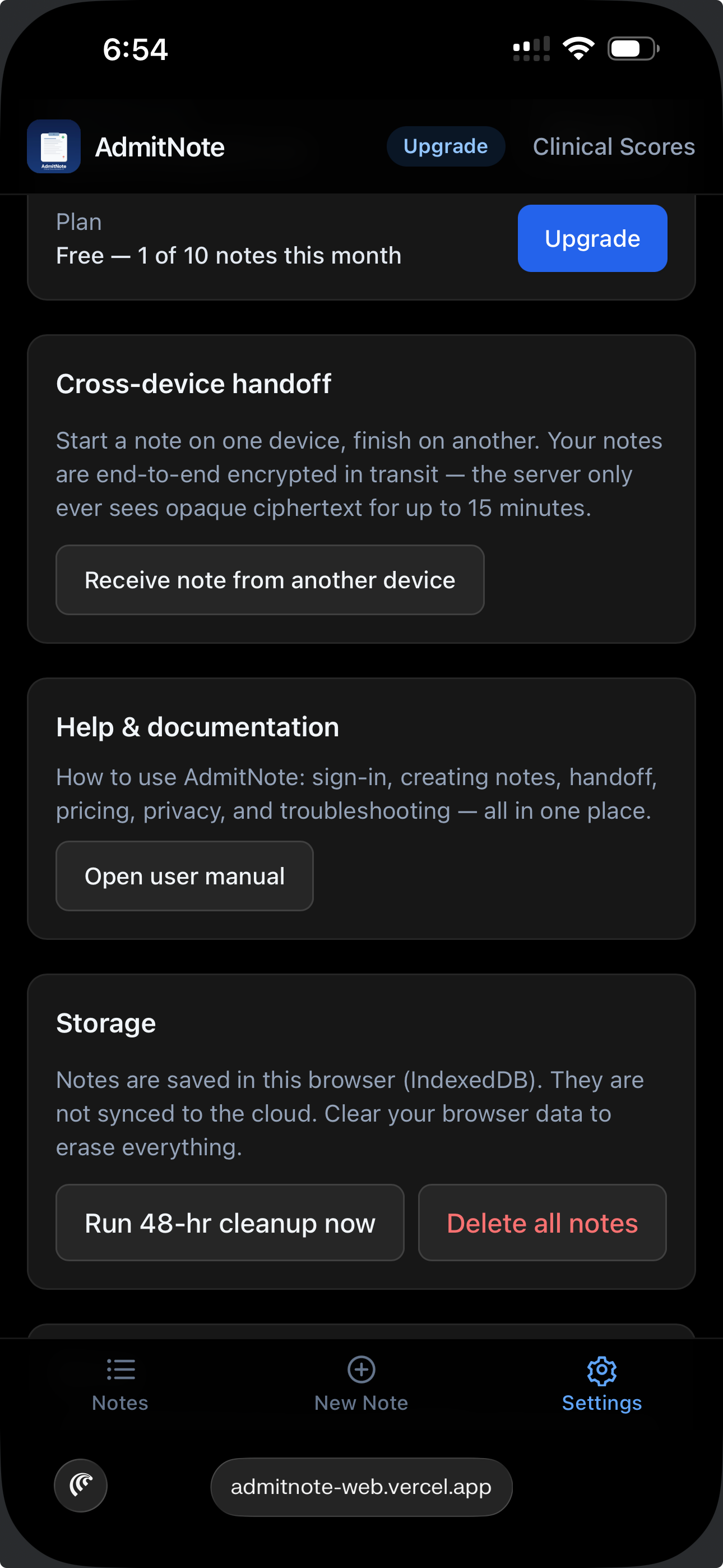
Settings → Storage → Run 48-hr cleanup now to force cleanup immediately
Settings → Storage → Delete all notes to wipe everything on the current device
// 5. Clinical scores
Calculators, one tap to copy
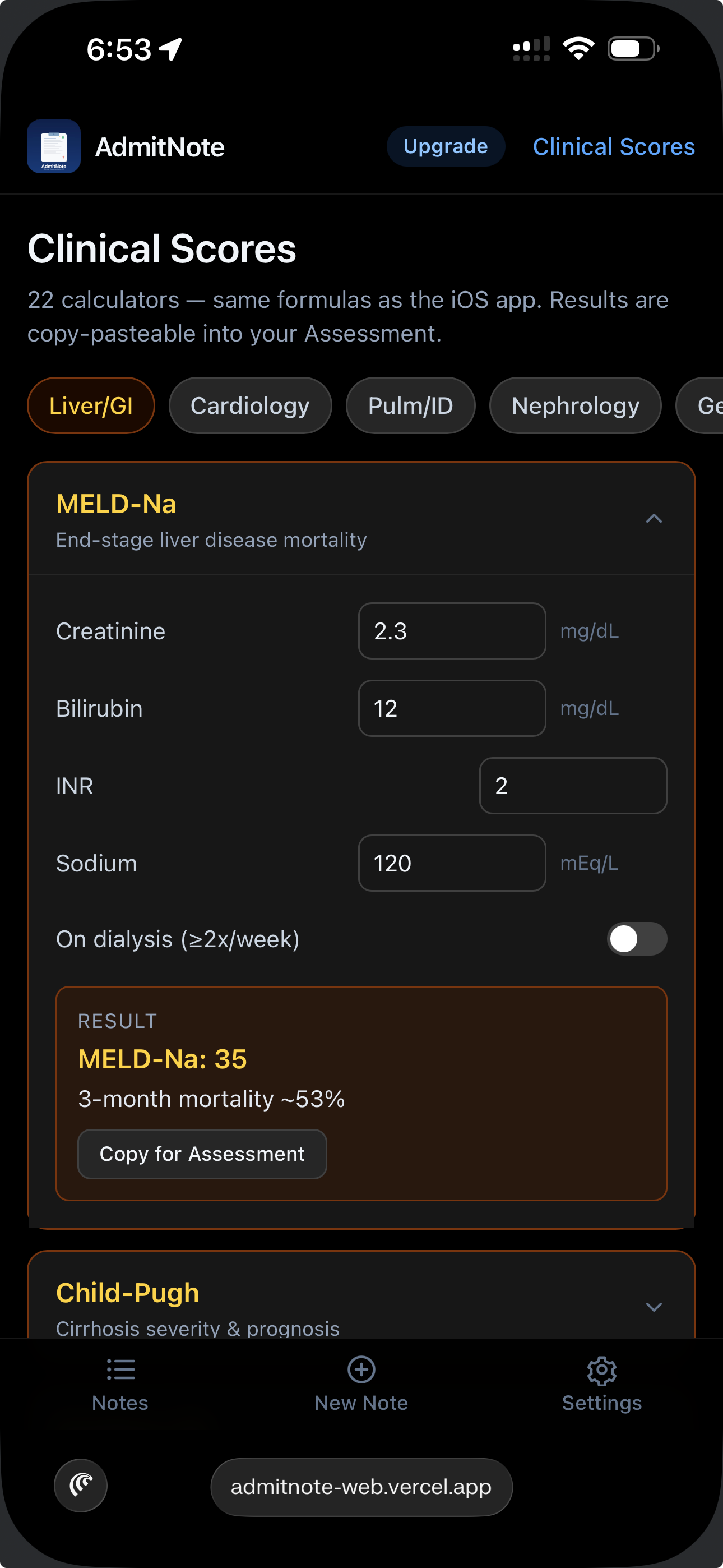
Access the calculator library via Clinical Scores in the top-right of the header.
Scores are free for everyone — no Pro required.
Each calculator shows your inputs live, computes the result with its clinical interpretation, and offers a
Copy for Assessment button that formats the score into a paste-ready line for your note.
// 6. Free vs. Pro
Pricing
AdmitNote is free to start — 5 AI-structured notes per month. Upgrade to Pro for unlimited.
Your subscription follows your email to every device (web, iPhone, iPad).
Free
$0 / month
5 AI-structured notes per month
Cross-device handoff (QR + 6-digit)
All clinical calculators
HIPAA Safe Harbor de-identification
No credit card required
Pro Most popular
$29 / month
Unlimited AI-structured notes
Everything in Free
Priority email support
Annual: $249/year (save $99)
Cancel anytime via self-serve portal
Upgrading
Tap the blue Upgrade pill in the header (or Settings → Upgrade). Pick Monthly or
Annual. Secure Stripe checkout. Pro is active within ~5 seconds of payment confirmation.
Canceling
Settings → Manage subscription → opens the Stripe Customer Portal → Cancel plan.
Cancellation takes effect at the end of your current billing period. You keep Pro access until it ends — no refund
for the current period, but you can re-subscribe anytime.
// 7. Privacy & where your notes live
Different by design
Most AI scribes store your full patient transcripts on their servers. AdmitNote doesn't.
The architecture below is built around that promise.
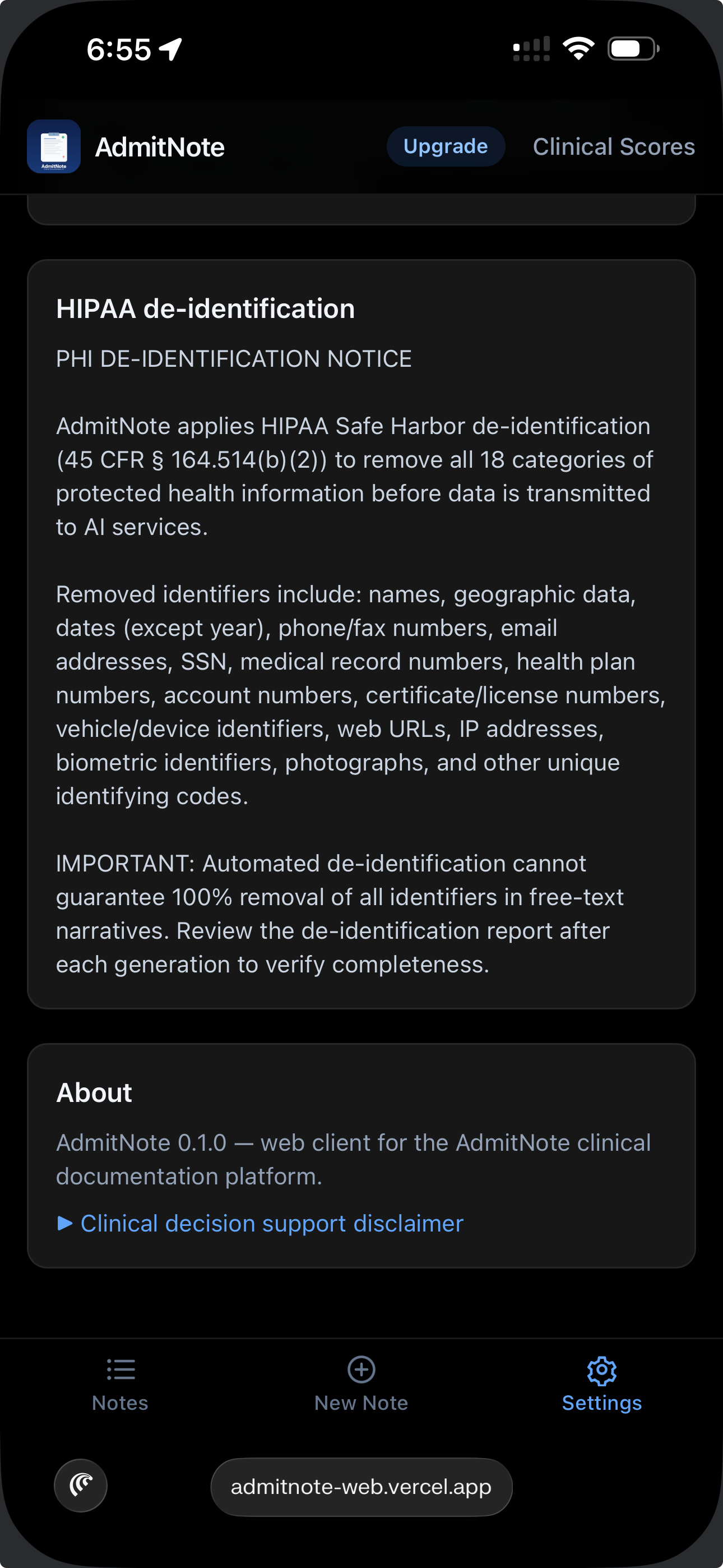
HIPAA notice in-app
Terms of use on first launch
Where notes live
On your device only, in your browser's IndexedDB storage
Never uploaded to our servers as plaintext
Cross-device handoff uses end-to-end encryption — the server only sees opaque ciphertext for up to 15 minutes
What our server does see
Your email (for magic-link auth)
Your subscription status and Stripe customer ID (for billing)
Your monthly note counter — a single integer, no content attached
What our server does NOT see
Patient names, initials, or identifying details
Your clinical text, structured notes, or A&P output
Your audio recordings
PHI de-identification
Before any AI call (Whisper transcription, Claude structuring, A&P generation), AdmitNote applies
HIPAA Safe Harbor de-identification (45 CFR § 164.514(b)(2)) to strip all 18 categories
of protected health information: names, dates, addresses, phone numbers, MRNs, and so on.
Automated de-identification is best-effort on free-text — you remain responsible for verifying.
The de-identification report is visible on each note after generation.
Clearing your device
Clearing your browser's data for AdmitNote erases every note stored on that device. This is the only way to
delete all local notes at once (aside from individual delete actions). It does not affect your account —
you can sign back in and start fresh.
⚠ Not a substitute for physician judgment
AdmitNote is clinical decision support. AI-generated content may contain errors, hallucinations, or outdated
recommendations. Verify independently before incorporating into patient care or the medical record.
// 8. Troubleshooting
When something's off
Magic link didn't arrive
Check spam / junk folder — auth emails sometimes land there on the first send
Request a new link; old ones expire after 1 hour and are single-use
Verify you typed the email correctly, including the domain
Corporate filters can block no-reply@mail.supabase.io — try a personal email if possible
Camera won't open for QR scan
iOS Safari: Settings → Safari → Camera → set to Ask or Allow. Reload and retry.
Chrome/Edge: click the lock icon in the address bar → Site settings → Camera → Allow
Laptops sometimes have a physical privacy slider on the webcam — check the lens
If the PC has no usable camera, use the 6-digit code method instead (Section 3)
"Handoff expired" or "Code not found"
Handoff ciphertext auto-expires in 15 minutes, and pairing codes in 5 minutes. Ask the other device to
generate a fresh one.
Chrome: lock icon → Site settings → Microphone → Allow
If you originally denied permission, some browsers require manual re-enable per-site
App shows a blank or error page
Hard-refresh: ⌘+Shift+R (Mac) or Ctrl+Shift+R (Windows)
If an error card appears with a "Reload" button, tap it — the ErrorBoundary caught an unexpected runtime error
Still broken? Clear your browser's data for AdmitNote and sign back in
Report the issue — include a screenshot of any error text
Checkout didn't flip me to Pro
The webhook normally lands within 5 seconds. If the Finalizing… screen stays stuck, reload the page.
If after reload you're still showing as Free, email support with your email address and the approximate checkout time
Lost access to my account
If you can no longer receive magic-link emails at your original address (email deleted, employer change), email
support@admitnote.com from an address that identifies you — we'll help recover the account.
✉ Still stuck?
Email support@admitnote.com. Include what you were trying to do, what happened instead
(exact error text if any), your browser + OS (e.g., "Safari on iPhone 15", "Chrome on Windows 11"),
and a screenshot if possible.
Ready to try it?
Free to start — 5 AI-structured notes per month. Cross-device handoff, clinical scores, privacy-first — all included.